 Nightshade Labs
Your AI makes the video, you choose the cut.
Bring your own Claude or Codex. It writes the script and makes the options; Nightshade Labs is where you pick.
Nightshade Labs has no AI of its own. Your agent connects to the app on your Mac and makes everything with its own tools, so there's no extra AI bill and no API keys to hand over.
Claude Desktop or Claude Code, with your Claude plan. The app shows the line to paste.
Codex, with your ChatGPT plan. One entry in its config and it's connected.
Your Mac
A local app. Your project is a folder on your computer, and nothing is uploaded.
Making a video with AI is mostly picking: which shot, which take, which track. Your agent does the making; the app makes the picking quick.
Any folder on your Mac becomes a project. The files in it are the source of truth.
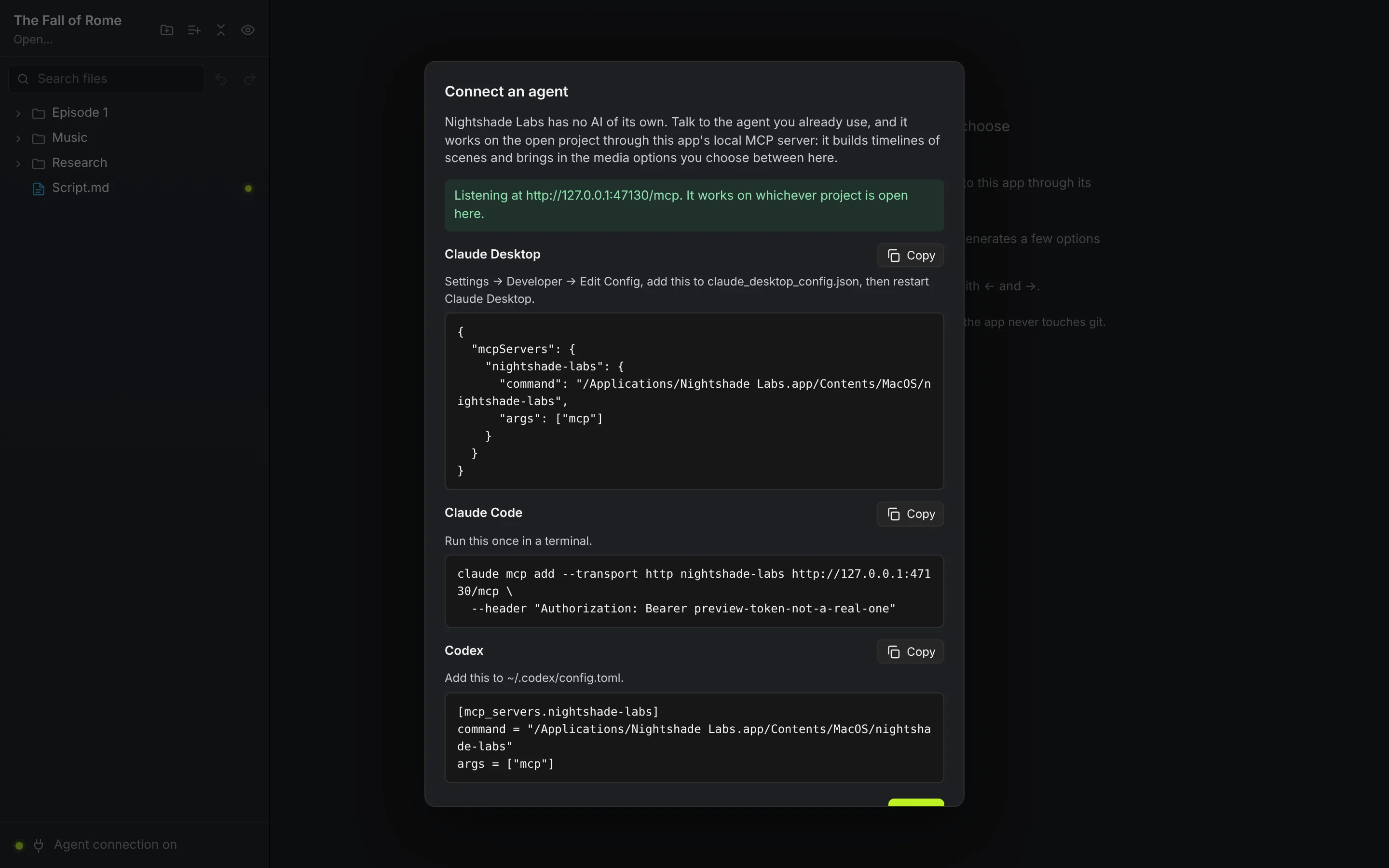
Paste one line into Claude Desktop, Claude Code or Codex. The app shows it for you.
Your agent writes the script, splits it into scenes and makes a few options for every part.
Watch it play, then click an option or flick through them with the arrow keys.
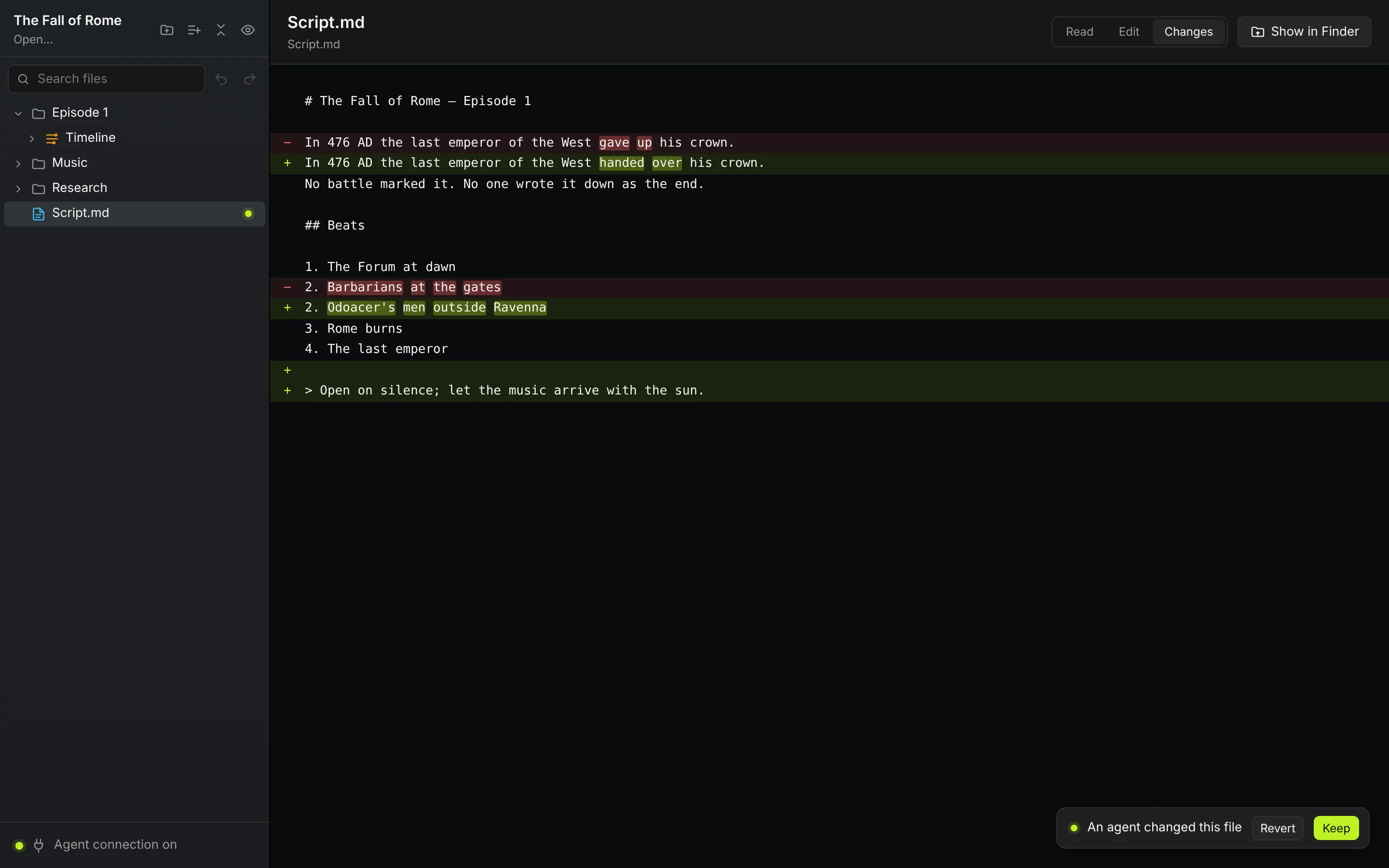
When your agent rewrites the script, you see its edit in red and green and decide.
Render your cut to an MP4 with one click. Your agent can export it too.
There are no tracks to drag and no layers to fiddle with. Your agent does the editing outside the app. You see what it made and pick the best of it.
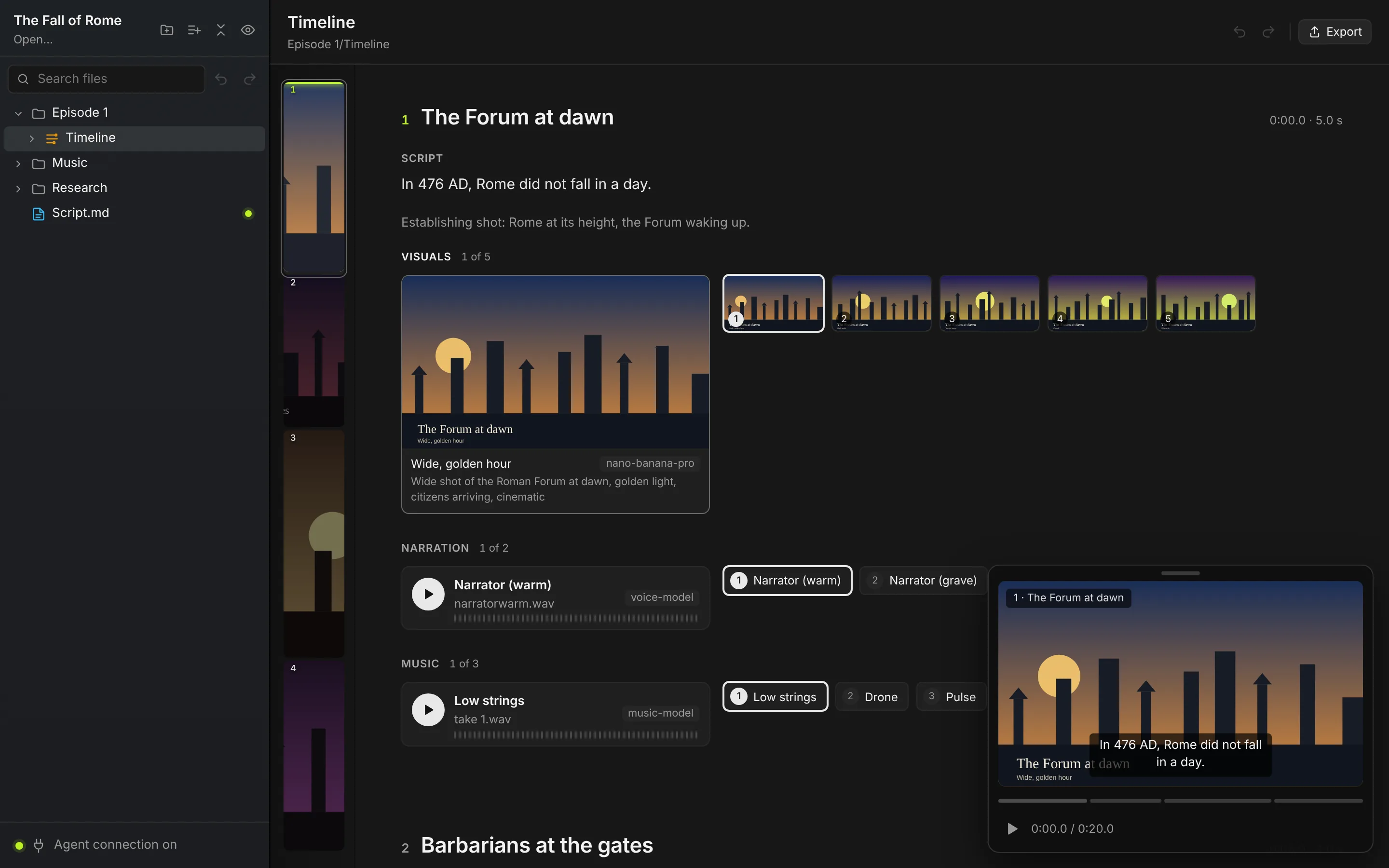
A timeline is a list of scenes, each with its script. Under it are the parts your agent decided the scene needs, such as visuals, characters, narration and music. The chosen one is shown large, and the other options sit beside it.
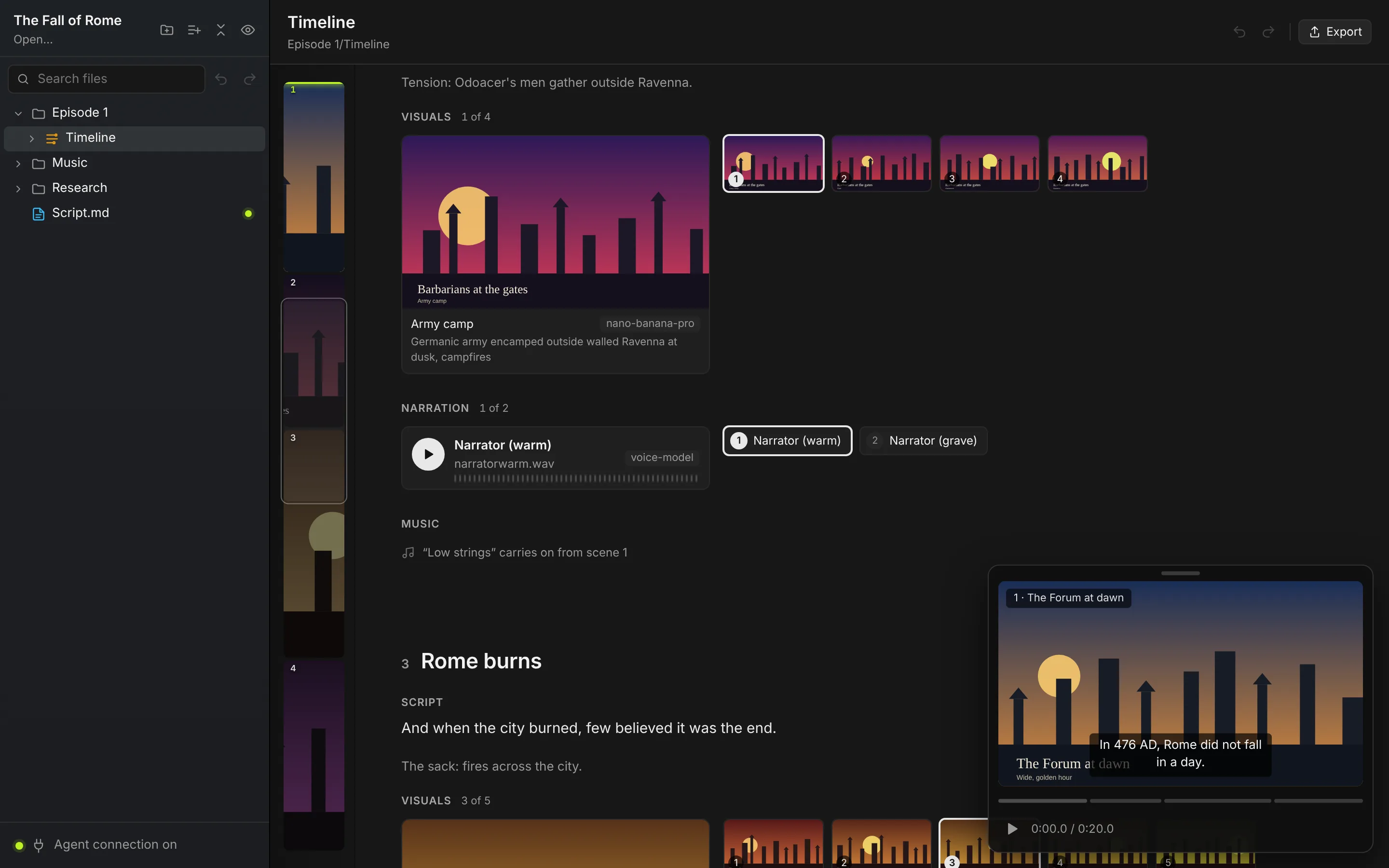
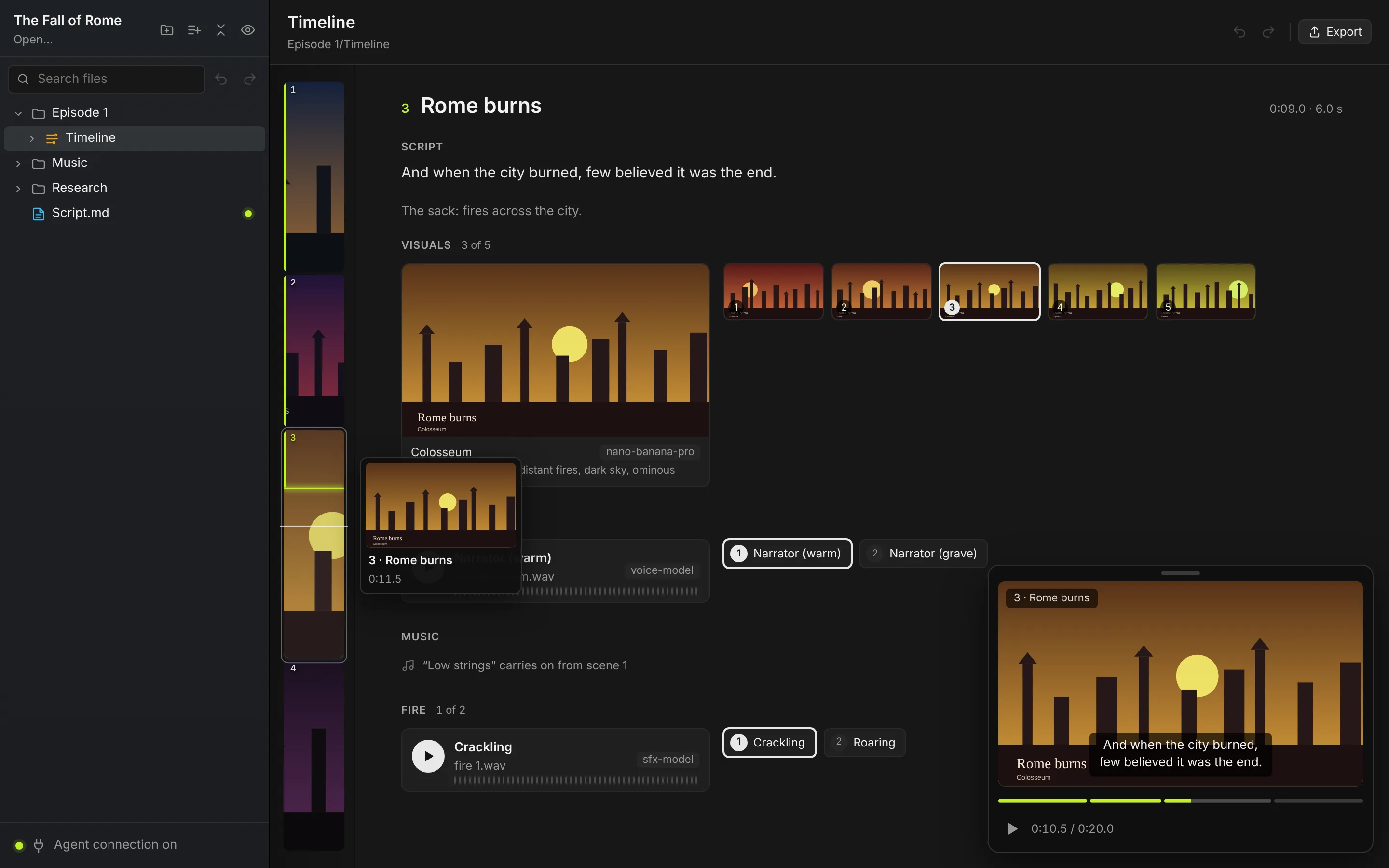
The player floats over the scenes and plays your current choices together, with each scene as a chapter. A mini map down the left shows every scene's picture, follows the playhead and takes you anywhere in the video in one click.
Scripts and notes are Markdown files in your folder. When your agent changes one, the app shows exactly what changed. Keep it or revert it with one click, and your agent finds out which.
The app runs a small server on your Mac that only your own agent can reach. Copy the snippet for Claude Desktop, Claude Code or Codex, and your agent can build timelines, add options and show you what it made.
Undo and redo, search the project, jump to a scene and export. Undo covers your agent's changes as well as yours.
Your agent can only move files to the archive. Only you can delete for good, and only from inside the archive.
Media, scripts and timelines are ordinary files. Back them up however you like.
No model calls, provider keys or credits. Your agent uses whatever tools you give it.
The agent connection listens only on your Mac and needs a token that never leaves it.
Your chosen cut renders to a 1080p MP4 in an Exports folder in your project.
The latest from the app, newest first.
Every scene as a tile as long as the scene, with the playhead glowing on the one that's playing. Click or drag to jump anywhere.
When a line runs over several shots, your agent now makes one scene with every shot as an option.
Choosing an option no longer redraws the page, long timelines play smoothly, and playback glides from scene to scene.
A chosen video clip now brings its audio into the exported MP4, and GIFs export too.
Your agent names the parts each scene needs, and the player shows your video as chapters.
Nightshade Labs comes with Barbecue, our software factory. Subscribe once and your whole team gets both.
Nightshade LabsYour AI makes the video, you choose the cut.
A software factory on your Mac that builds, reviews, fixes and ships your app on its own. See Barbecue
A Mac, and an AI agent that can use MCP tools: Claude Desktop, Claude Code or Codex. Exporting uses ffmpeg, which you can install with Homebrew.
No, your agent does, with whatever tools you give it, and adds the finished files to your project. That keeps you free to use any model you like and means you never pay us for generation.
No. Your project is a folder on your computer and the agent connection only listens on your Mac. Our servers only handle your account and license.
Yes. One subscription unlocks both apps for everyone on your team. If you already pay for Barbecue, Nightshade Labs is already included.
One subscription covers up to 5 people at your company. The person who buys adds the others from the account page, and each signs in with their own GitHub or Google account. Extra seats are $5 a month each.